

Common questions
Short, straight answers about what PixyScan does, whether it is safe for your site, what it costs and what it does not do. Can't find yours? Ask us.
The basics
What is PixyScan?
PixyScan checks your website for the problems that hurt it in search engines and AI answers. It visits every page the way Google does, runs 202 checks and gives your site a score out of 100. Every problem comes with a plain guide to fixing it.
What is an SEO audit, and why do I need one?
An SEO audit is a check-up for your website. It finds the things that stop search engines from finding, reading or showing your pages, such as broken links, missing titles or pages blocked by mistake. Most of these problems are invisible to you and your visitors, so without an audit they can cost you traffic for months.
Who is PixyScan for?
Anyone who looks after a website: business owners, marketers, freelancers, agencies and developers. Agencies can manage up to 25 sites and put their own brand on reports (Pro). Developers can run a check before each release (from Basic).
Do I need to be an expert to use it?
No. Every problem is explained in plain words: what it is, why it matters and how to fix it, with examples. Problems are sorted biggest first, so you always know where to start.
Do I need to install anything?
No. PixyScan reads your site from the outside, just like a search engine. There is no plugin, no script tag and no code to add. You sign up, type in your site's address and start a scan.
How often should I scan my site?
Scan after every change you make to the site, and at least once a week or once a month otherwise. You can start a scan by hand whenever you like. From Hobby, PixyScan can scan daily, weekly or monthly for you, in your own timezone.
Where do I get help?
The user guide explains every screen step by step. If you are still stuck, use the contact form or email support@pixyscan.com and a member of the team will reply.
Your site and your data
Will scanning slow down or harm my site?
No. PixyScan only reads your pages, like a visitor would. If your server is small and struggles during a scan, turn on Rate limit healing in the site's Settings (Crawl tab). PixyScan then fetches one page at a time, with a pause you choose.
Does PixyScan change anything on my site?
No. Nothing in PixyScan writes to your site or fixes things for you. It only reads and reports. You, or your developer, make the fixes.
How can I tell PixyScan is visiting my site?
PixyScan names itself pixyscan-bot when it visits, so you can spot it in your server logs. It also follows the rules in your robots.txt file (the file that tells bots which pages they may visit).
Where is my data stored, and is it safe?
Your data is stored in the European Union, in Frankfurt, Germany. Passwords you give PixyScan for crawling, custom headers and Google API keys are stored encrypted. The Privacy policy explains who processes your data.
How long do you keep my scan results?
It depends on your tier: 30 days on Free, 180 days on Hobby, 1 year on Basic, 2 years on Pro and up to 10 years on Enterprise. Older results are deleted automatically each night.
Reading your results
What does a scan check?
202 things, in 10 areas: On-Page, Structured Data, Link Integrity, Delivery & Trust, Crawlability, Social & Sharing, Content & Answers, Indexability, Media and International. 126 of the checks are problems that cost points. The other 24 are tips that cost nothing.
How is the health score worked out?
You start at 100 and lose points for each problem. Serious problems cost more (critical 10, important 5, standard 2), and so do problems on many pages. Tips cost nothing. Every problem shows the points it costs, so you can see exactly where the score went.
Which problem should I fix first?
Start at the top of the Issues list. It is sorted by the points each problem costs, so the top one gives the biggest win. A problem that shows on every page usually comes from one shared template, so one fix can clear all of it.
Can I see which problems are on pages with the most search traffic?
Yes, from Basic, once you connect Google Search Console. The Pages table and each problem's affected pages show every page's Google clicks and impressions for the last 28 days, and you can sort by them to fix the busiest pages first. The site's Overview also shows its clicks, impressions, CTR and average position for the last 28 days, with the change from the 28 days before.
Can PixyScan show whether my fixes improved search traffic?
It shows how the pages you fixed did compared with the rest of your site, but it cannot prove the fix caused the change. From Basic, with Google Search Console connected, each check fixed in a production scan is measured: Google clicks to those pages over 28 days before the fix and 28 days after, starting 7 days later to give Google time to recrawl, set against the rest of the site. An early signal shows after 14 days and the final result after about five weeks. It needs at least 3 matched pages and 100 impressions. A result reads like “these pages did 15% better than the rest of the site after this change”. Google updates, seasons and other changes can move the numbers too.
Will PixyScan fix the problems for me?
No. PixyScan tells you what is wrong, where, and how to fix it, with a written guide for every check. You or your developer make the change, then the next scan confirms it is fixed.
What do New, Resolved, Still open and Regressed mean?
They compare this scan with the last one. New: the problem was not there last time. Resolved: you fixed it. Still open: it is in both scans. Regressed: it was already there and now affects more pages. Scan comparison is included from Hobby.
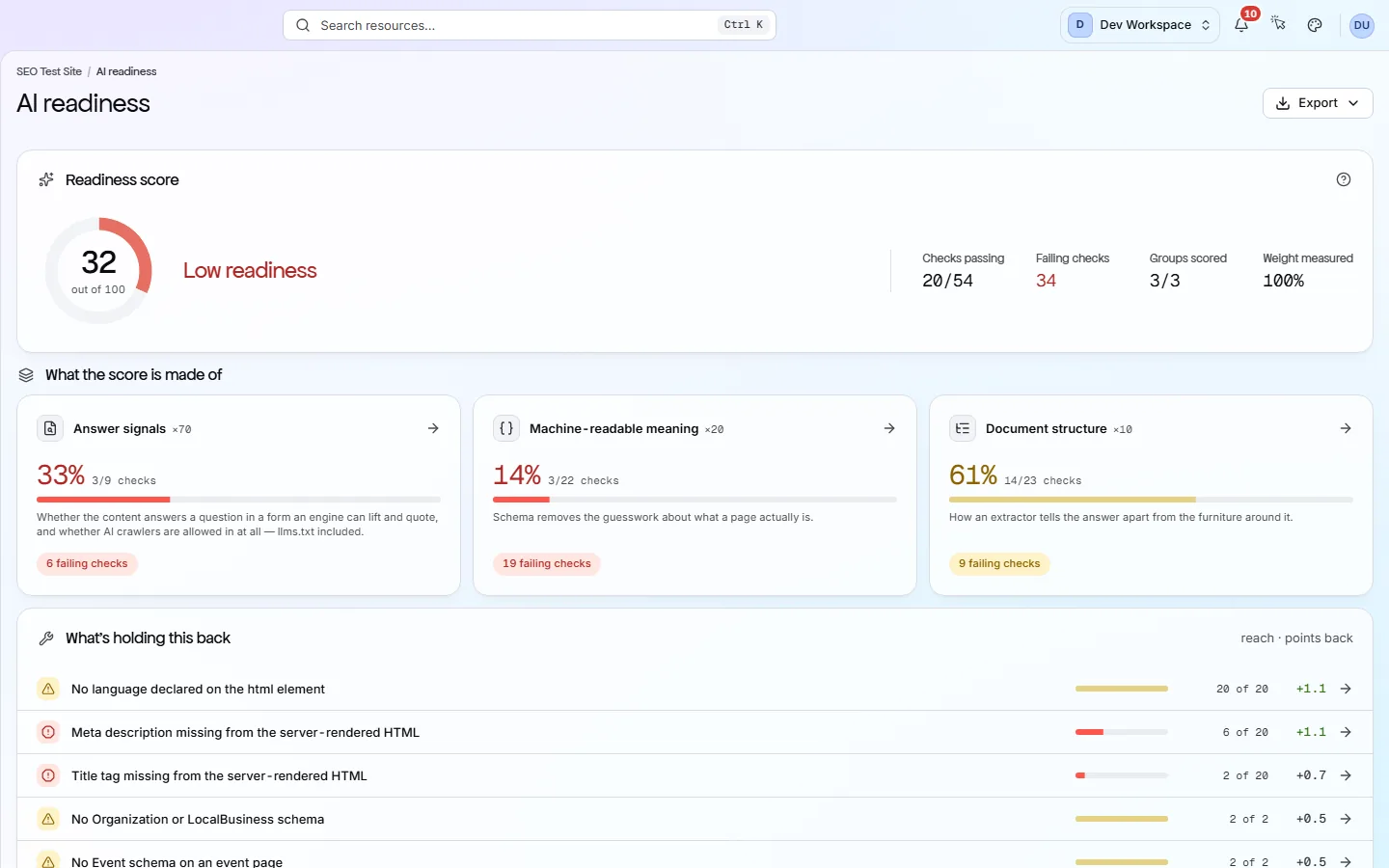
What does AI readiness mean?
It is a second score out of 100 that shows how easy your pages are for AI tools such as ChatGPT to read and quote. It looks at your content (70%), your structured data (20%) and your page structure (10%). It also shows which of 18 known AI bots your robots.txt lets in. It cannot promise an AI tool will quote you.
Pricing and billing
Is there really a free version?
Yes. Free needs no card and never runs out. It covers one site, one person and 500 pages a month, and runs 181 of the 202 checks. The 21 it skips (broken and redirecting external links, broken images and the page-speed checks) start on Hobby. Each account can have one free workspace.
What is a URL credit?
One page scanned uses one URL credit. A scan of 400 pages uses 400 credits. Each tier comes with credits every month: 500 on Free, 5,000 on Hobby, 20,000 on Basic and 125,000 on Pro. They are shared by all the sites in your workspace.
What happens when I run out of credits?
PixyScan warns you before a scan starts if you do not have enough. A scan that runs out part-way keeps the pages it paid for and skips the rest. You can buy more credits at any time (1,000 for $9, 5,000 for $39 or 10,000 for $69), upgrade, or wait for next month's credits.
Do unused credits carry over?
Monthly credits do not: they reset at the start of each billing period. Credits you buy are different. They never expire and stay in your balance until you use them.
Which option should I choose?
Free, to try PixyScan on one site. Hobby ($19/month), to check one or two sites on a schedule. Basic ($39/month), for small teams who want to check the site before each release. Pro ($129/month), for agencies and big or JavaScript-heavy sites. Enterprise, for custom limits. Start on Free and upgrade when you need more.
Can I upgrade or downgrade later?
Yes. An upgrade starts straight away, and the unused part of what you already paid counts towards the new price. To downgrade, contact support: it starts at the end of the period you paid for, once your sites and team fit the smaller limits.
Can I cancel at any time?
Yes, with no fee and no notice period. Cancel from the Billing screen or by emailing support. Everything keeps working until the end of the period you paid for. After that your workspace is locked: you can still read your sites, scans and reports, but you cannot start new scans.
Do you give refunds?
Payments are final, so unused time and unused credits are not refunded. We do refund you if you were charged by mistake, charged twice or charged after cancelling. The Refunds & Cancellation policy has the details.
Is paying yearly cheaper?
Yes. A year costs the same as ten months, so you get two months free (about 17% off). For example, Basic is $39 a month or $390 a year.
Special kinds of site
Does it work with JavaScript sites (React, Vue, Angular)?
Yes, on Pro and Enterprise. Turn on Rendered JavaScript in the site's Settings (Crawl tab), and PixyScan opens each page in a real Chrome browser before checking it. It takes about seven to eight times longer, so only use it if your pages need JavaScript to show their content.
Can I scan a staging site behind a password?
Yes, if it uses HTTP Basic Auth (the browser's own username and password pop-up). Enter the username and password when you add the site. You can also add custom request headers in Settings. A site behind a login form on a web page cannot be scanned.
Does it check page speed (Core Web Vitals)?
Yes, from Hobby. Core Web Vitals are Google's measures of how fast and stable a page feels. After a scan, PixyScan tests a sample of your pages with Google PageSpeed Insights and records LCP, INP, CLS, TTFB and FCP. It also flags Lighthouse findings such as slow blocking time, unused JavaScript and CSS, oversized or eagerly loaded images, short cache times and heavy third-party code. You need your own Google PageSpeed API key, which you add in your workspace settings.
Alerts, reports and developers
Will it alert me when something goes wrong?
Yes, on every tier, Free included. PixyScan can tell you when a scan finishes or fails, when the score drops and when a new critical problem appears. Alerts go by email, to a Slack channel or to any webhook. You choose which ones each site sends.
Will PixyScan warn me if a deploy hurts search traffic?
Yes, from Basic, if you deploy through CI/CD and have Google Search Console connected. If Google clicks in the 3 days after a production deploy fall at least 25% below the same days of the previous 4 weeks, PixyScan sends one alert: in the app, by email, and to Slack or a webhook if you set them up. It only fires when those days normally get at least 100 clicks and the drop is bigger than the site's usual week-to-week swing. Google's newest figures are provisional, so the alert comes about a week after the deploy (day 6 at the earliest). It tells you clicks fell, not why. You can turn the email off in the site's Alerts settings.
Can I download and share reports?
Yes. Everyone can download the 6 summary reports as PDF, CSV, XLSX, JSON or Markdown (on Free they list problems without the fix steps). From Hobby you get all 61 reports, including 55 data exports, with fix steps.
Can I put my own logo on reports?
Yes, on Pro and Enterprise. Reports can carry your logo, colours, cover and footer. Agency mode removes the PixyScan name completely. Set it up once, and every report from that workspace uses it.
Can my team use it too?
Yes. Invite people by email and give each one a role: Admin, Member or Viewer. You can also give someone access to just one site, which is handy for clients. Free has 1 seat, Hobby 2, Basic 3, Pro 10 and Enterprise unlimited.
Can developers run PixyScan before a release?
Yes, from Basic. One command (npx pixyscan-sdk run) scans the site as part of your release process (CI/CD). If the score falls below your limit (97 by default), the build fails and the release stops. It works with GitHub Actions, GitLab CI, CircleCI, Bitbucket Pipelines and Vercel. It does not comment on pull requests.
Is there an API?
Not a public REST API yet. You can get your data out through the 61 reports, alerts and webhooks, and the release command. From Basic there is also an MCP server, which lets AI assistants such as Claude read your issues and fix guides.
What PixyScan does not do
Does it track rankings, keywords or backlinks?
No. PixyScan looks at the health of your own site only. It does not track rankings, research keywords, check backlinks or compare you with competitors. Use a separate tool for those. From Basic, you can connect Google Search Console to see the queries and average position Google reports for your own site, but that is Google's data, not a rank tracker.
Does it connect to Google Search Console or Analytics?
Search Console, yes. Analytics, no. From Basic, a site admin can connect Google Search Console in the site's settings, with read-only access, and each site can use its own Google account. The Search performance screen then shows clicks, impressions, CTR and average position by page and by query, synced daily. History kept is 6 months on Basic and 16 months on Pro and Enterprise. The same figures also appear on the site's Overview and next to its pages and problems. Google Analytics is not connected, and every finding still comes from scanning your site. There are no WordPress, Shopify, Jira or Zapier connections either.
Does it support single sign-on (SSO)?
No. People sign in with email and password (confirmed by a one-time code at sign-up) or with Continue with Google. Access is controlled with roles per workspace and per site.
Is PixyScan SOC 2 or ISO certified?
No, not at the moment. Your data is hosted in the EU and sensitive settings are stored encrypted. The Privacy policy and the Data Processing Agreement explain how your data is handled.
Still have a question?
We are happy to help
The user guide explains every screen step by step. If your answer is not there, send us a message and a real person on the team will reply.
See what is wrong with your site
Add your site and get your score, your to-do list and a fix guide for every problem. Free for one site and 500 pages a month. No card, no time limit.
No card needed · Nothing to install · Cancel any time