

See what changed on your site since last week
PixyScan scans your site on a schedule and compares each scan with the last one. You see what is new, what your team fixed and which fix raises your score most.
Does this sound familiar?
If this sounds like your week, read on. Below is how PixyScan helps.
- Every audit lists the same few hundred problems, so you can't tell what changed.
- A release quietly removed your canonical tags, and you found out months later.
- Developers ask which fixes matter most, and you only have a long spreadsheet.
How PixyScan helps
How PixyScan helps
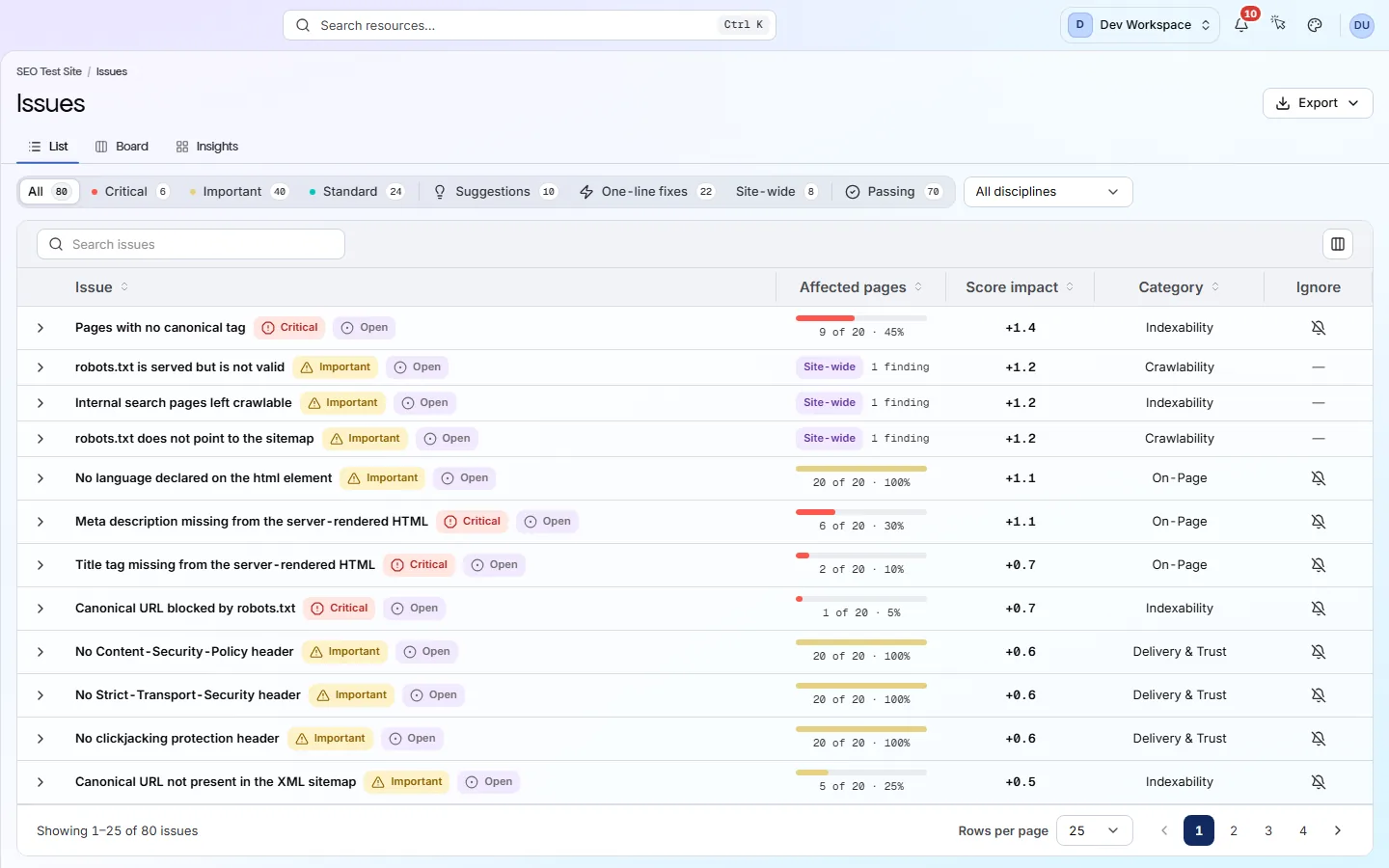
Each card is a real screen in the app: what you see there and what you do with it.
- 01
See only what is new
The Changes screen sorts every problem into New, Resolved and Still open. Start each week with New. Resolved shows which fixes worked.
- 02
Know what to fix first
The Issues screen shows each problem's severity, the pages it affects and the points you win back by fixing it. The biggest wins come first.
- 03
Give developers clear tasks
Each problem lists every URL it was found on and a guide to fixing it. From Hobby up, export the list as CSV or XLSX for your ticket tracker.
Getting started
Get started in 3 steps
- Step 1
Run your first scan
Add your site and let the scan finish. Open the Issues screen and start at the top, where the biggest score wins are.
- Step 2
Set a weekly schedule
In Settings → Schedule, pick how often and when to scan (Hobby and above). Each week, open Changes to see what is new and what you fixed.
- Step 3
Share the results
Download the issues report as a PDF for stakeholders. From Hobby up, export the list as CSV or XLSX so developers can turn rows into tickets.
Worth knowing
- 202 checks in 10 areas, turned into one health score out of 100.
- Scans run daily, weekly or monthly, at a time you choose in your timezone.
- Past scans are kept for 180 days on Hobby and one year on Basic, and reopen in full.
- Alerts by email, Slack or webhook when the score drops or a new critical problem appears.
- From Basic, with Search Console connected, see Google clicks beside each problem's pages, and how the pages you fixed did against the rest of the site.
What it doesn’t do
- No keyword research, rank tracking or backlink data. Keep your research tool for those.
- Reports are not emailed on a schedule. You download and share them yourself.
Start with Hobby
Hobby ($19 a month) is the first tier with scheduled scans, scan comparison and data exports: everything a weekly routine needs. It covers 2 sites, 2 people and 5,000 pages per scan. Basic ($39 a month) gives 5 sites, 3 people, 10,000 pages per scan and the CI/CD check.
FAQ
Questions you might have
Does this replace our keyword or rank tracking tool?
No. PixyScan checks the technical health of your own site. It does no keyword research, rank tracking or backlink analysis, so use it alongside your research tool.
Does a higher score mean better rankings?
Not directly. The score measures technical problems such as missing tags and broken links. Fixing them removes blockers, but rankings also depend on content, links and competition.
Does it connect to Google Search Console?
Yes, from Basic. Connect it in the site's settings, with read-only access, and the Search performance screen shows clicks, impressions, CTR and average position by page and by query. Each problem's pages also show their Google clicks, so you can sort by traffic, and the Impact tab compares the pages you fixed with the rest of the site. The default order and the score still come from how serious problems are and how many pages they affect.
Can a stakeholder see results without changing anything?
Yes. Invite them to the site as a Viewer, which is read-only. Or download a PDF report and send it.
Screens and features to explore
See what is wrong with your site
Add your site and get your score, your to-do list and a fix guide for every problem. Free for one site and 500 pages a month. No card, no time limit.
No card needed · Nothing to install · Cancel any time