

Make sure search engines can reach your pages
Crawlability is whether search engines and AI bots can find and reach your pages. This screen shows your robots.txt rules, your sitemaps, your redirects and anything that keeps bots out.
What it tells you
Questions this screen answers
What people want to know when they open this screen, and where to find the answer.
- 01
Is robots.txt blocking something important?
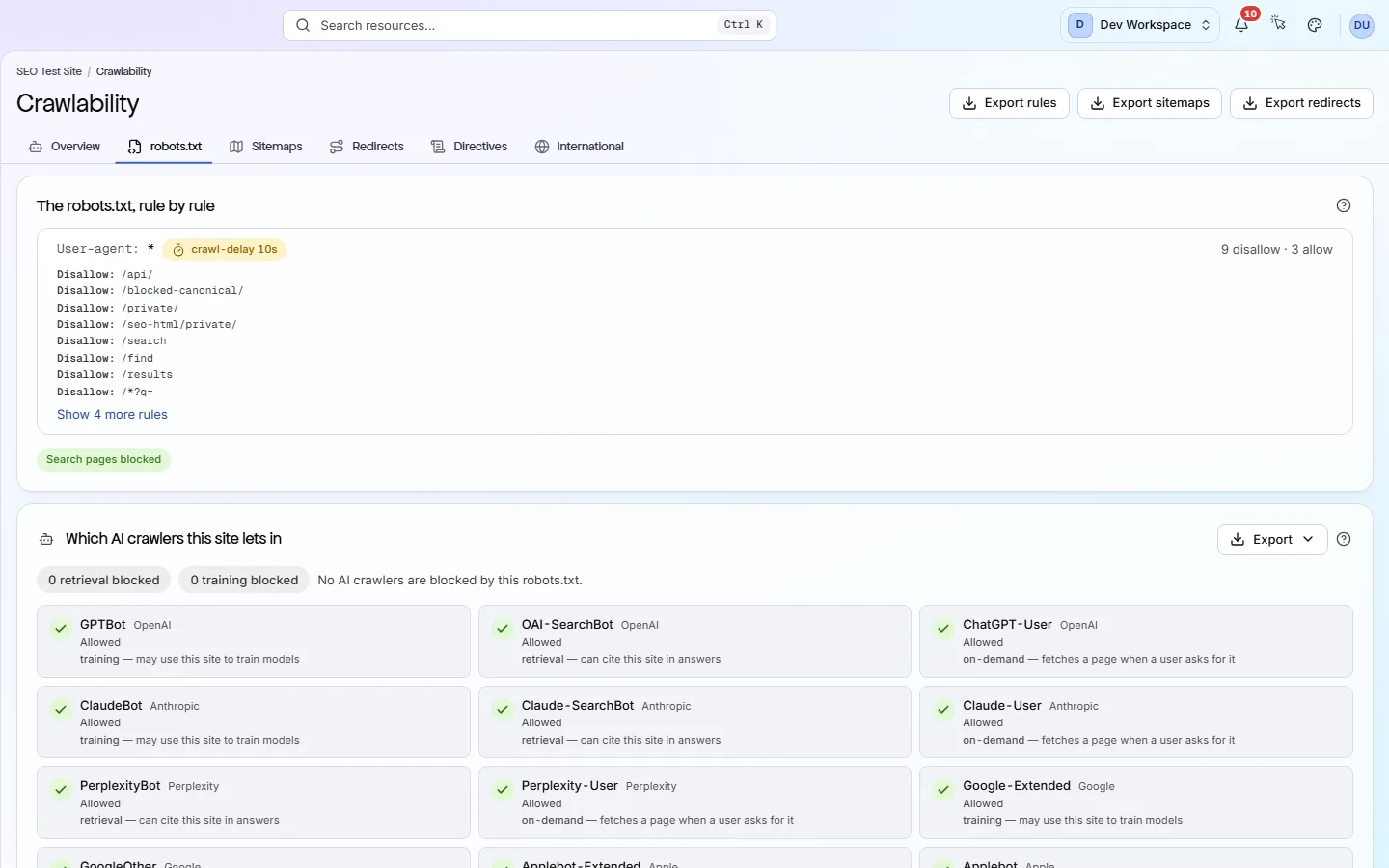
Open the robots.txt tab and check the “User-agent: *” group first. Its rules apply to every bot not named elsewhere. A “Disallow: /” there blocks your whole site.
- 02
Does my sitemap match my site?
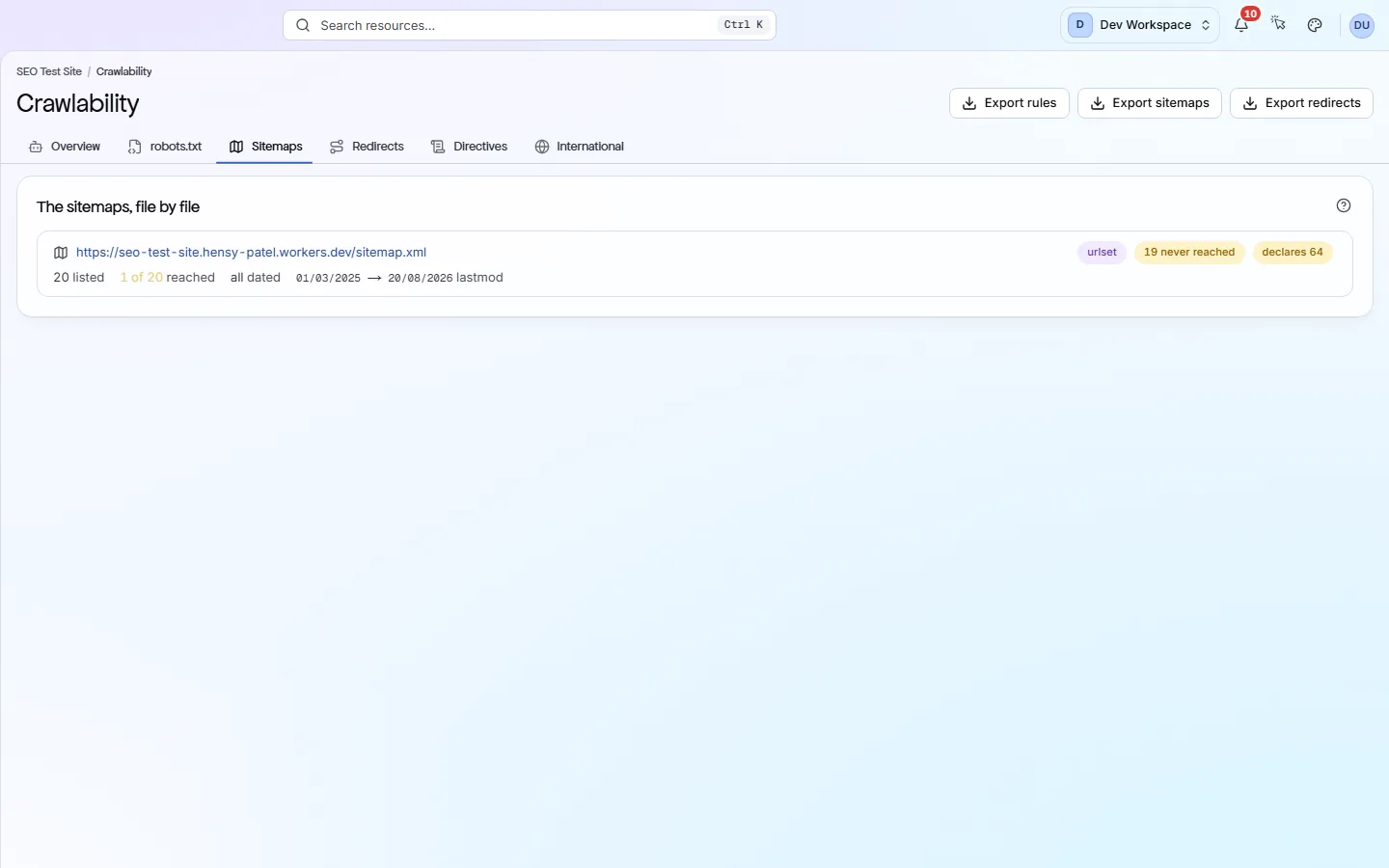
The Sitemaps tab shows how many URLs each sitemap lists and how many the scan reached. A big gap means the scan could not reach those pages, or it hit your page limit first. Files that could not be read are marked.
- 03
Can AI tools read my site?
The AI bot grid on the robots.txt tab marks each known AI bot as Allowed, Blocked, or Blocked by the wildcard rule (“User-agent: *”). Blocking AI bots is a fair choice. The grid just shows what your file does.
- 04
Are my redirects set up well?
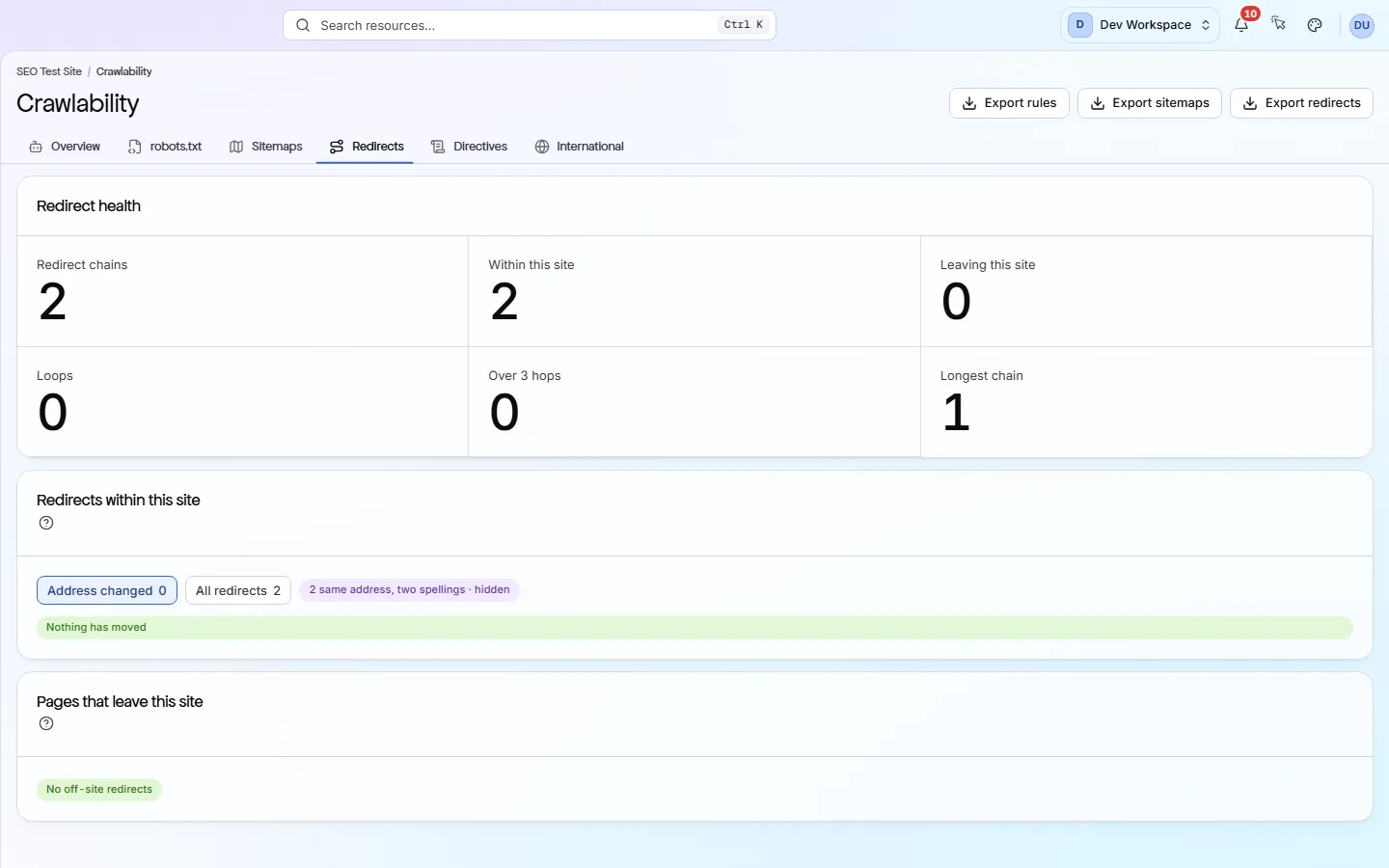
The Redirects tab counts chains (one redirect leading to another), loops and chains over three hops. Point each old link straight at its final address. Fix loops first, because those pages cannot be reached at all.
Good to know
The main facts about this screen, and the check categories it shows.
Check categories shown here
On-Page
These checks look at each page's title, meta description, headings and URL. They flag any that are missing, empty, duplicated on other pages, too long or too short, including pages with more than one H1, because these are the first things search engines read and show.
Crawlability
Your robots.txt file and your sitemaps tell search engines which pages to visit. These checks read both, and they flag sitemaps that list broken, blocked or duplicate pages, CSS and JavaScript files that robots.txt blocks, and pages that failed to load during the scan.
Indexability
A page can be reachable and still be kept out of search results. These checks look at canonical tags, noindex and nofollow rules, pagination and soft 404s (error pages that report success) to show which pages search engines may index. They also catch canonicals that point at broken, redirected or noindexed pages, or that contradict each other.
International
hreflang tags tell search engines which language or region each version of a page is for. These checks make sure the tags point back at each other in pairs and use valid language codes.
Key facts
Before you open this screen
- Your robots.txt (the file that tells bots what to skip) is shown rule by rule.
- A grid shows which AI bots, such as GPTBot and ClaudeBot, your robots.txt allows or blocks.
- Each sitemap (your list of pages for search engines) shows how many of its URLs the scan reached.
- Redirect chains, redirect loops and redirects to other sites are counted and listed.
What's on the screen
The screen, part by part
Each part of the screen, from top to bottom.
- 01
Overview
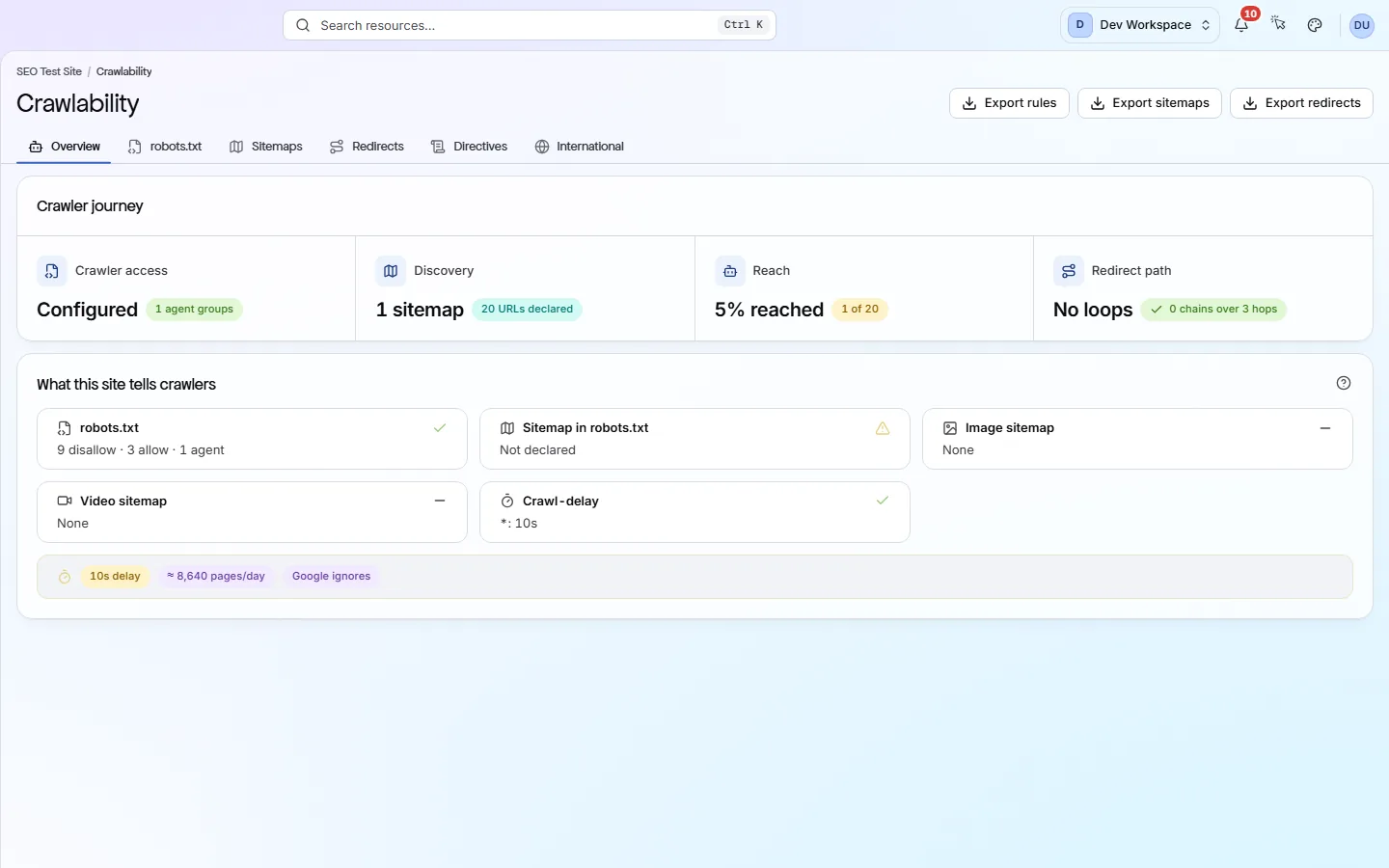
The Crawler journey shows four steps: Crawler access (robots.txt), Discovery (sitemaps), Reach (sitemap URLs reached) and Redirect path. Below, a card shows whether you have a robots.txt, a sitemap, image and video sitemaps and a crawl delay.
- 02
robots.txt and Sitemaps
The robots.txt tab lists your rules as written, then the AI bot grid. The Sitemaps tab lists every sitemap file with URLs listed, reached and dated.
- 03
Redirects
Redirect counts at the top, then redirects that stay on your site, then pages that send visitors to other sites.
- 04
Directives and International
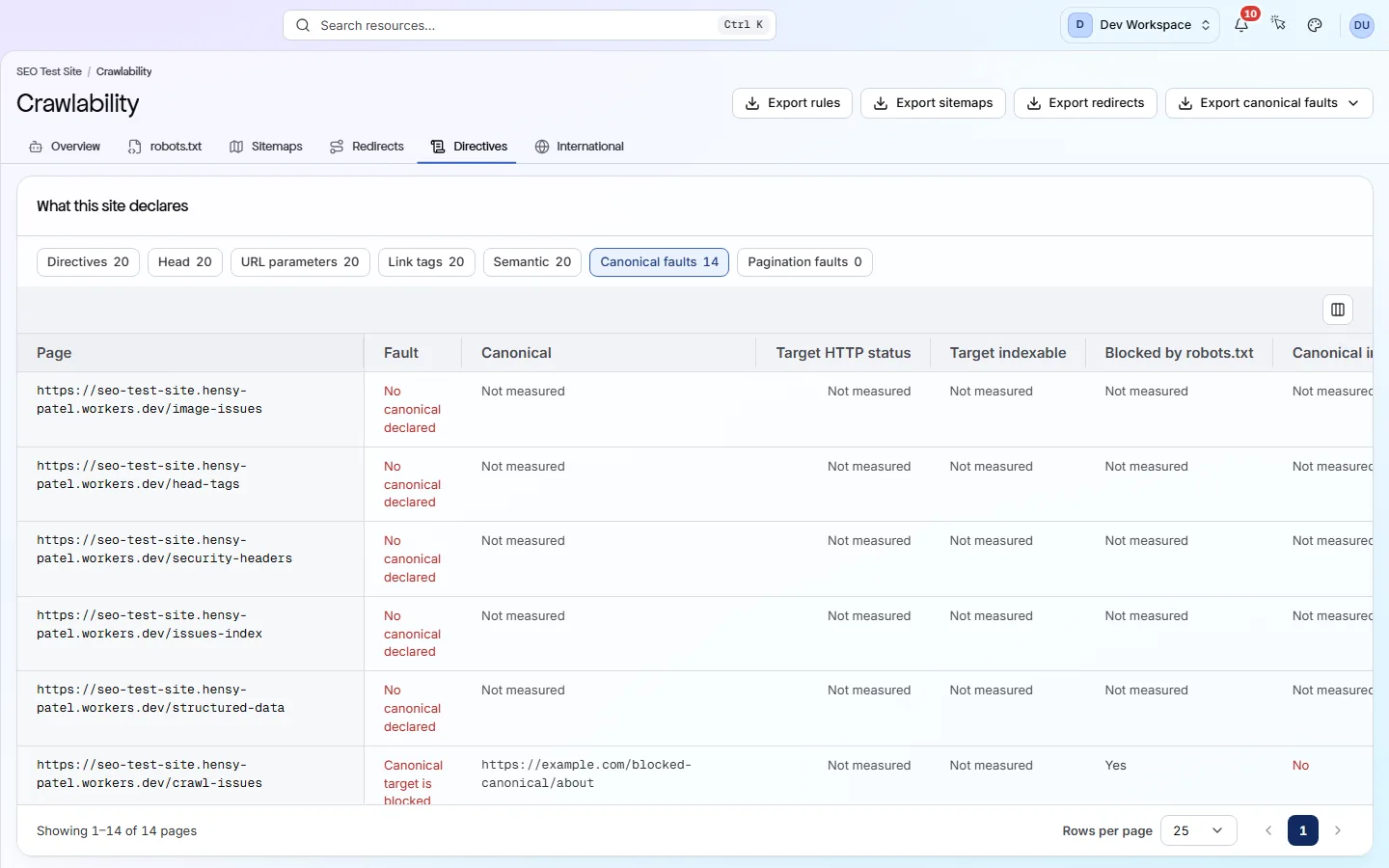
Directives lists what each page tells search engines, such as its canonical (the main address for a page). International lists hreflang tags, which point to other language versions of a page.
Your first visit, step by step
A simple order to follow after your first scan.
- 1
Read the Crawler journey. Start with any step marked Missing or showing loops.
- 2
Open robots.txt and check the “User-agent: *” group and the AI bot grid.
- 3
Open Sitemaps and compare URLs listed with URLs reached.
- 4
Open Directives and choose Canonical faults to find broken canonicals.
More views
Other tabs on this screen
The other tabs and views on this screen.
FAQ
Common questions about this screen
Does PixyScan follow my robots.txt?
Yes, by default. It reads your robots.txt first and skips blocked pages, like a well-behaved search engine. You can turn this off in Settings, Crawl tab, for example to check a staging site.
Why is Reach low when my sitemap is fine?
The scan stops at your page limit per scan: 500 on Free, 5,000 on Hobby, 10,000 on Basic, 15,000 on Pro. A 20,000-URL sitemap on Hobby will always show low reach. Exclude patterns can also skip sitemap URLs.
Can I download these lists?
Yes, from Hobby up. Export rules, Export sitemaps and Export redirects sit at the top. Directives and International have their own export buttons.
Continue the product tour
Previous and next screens
Screens follow the order of the app’s menu. See the full list to jump to any of them.
See what is wrong with your site
Add your site and get your score, your to-do list and a fix guide for every problem. Free for one site and 500 pages a month. No card, no time limit.
No card needed · Nothing to install · Cancel any time