

Give your AI agent a list of fixes
Connect your AI coding assistant to PixyScan. It can read your site's problems and fix guides, change your code, then run a scan to check its work.
Does this sound familiar?
If this sounds like your week, read on. Below is how PixyScan helps.
- Your coding assistant can edit the site, but doesn't know what is wrong with it.
- It fixes one problem and breaks another, and nothing tells it.
- You copy audit findings from a dashboard into the chat by hand.
How PixyScan helps
How PixyScan helps
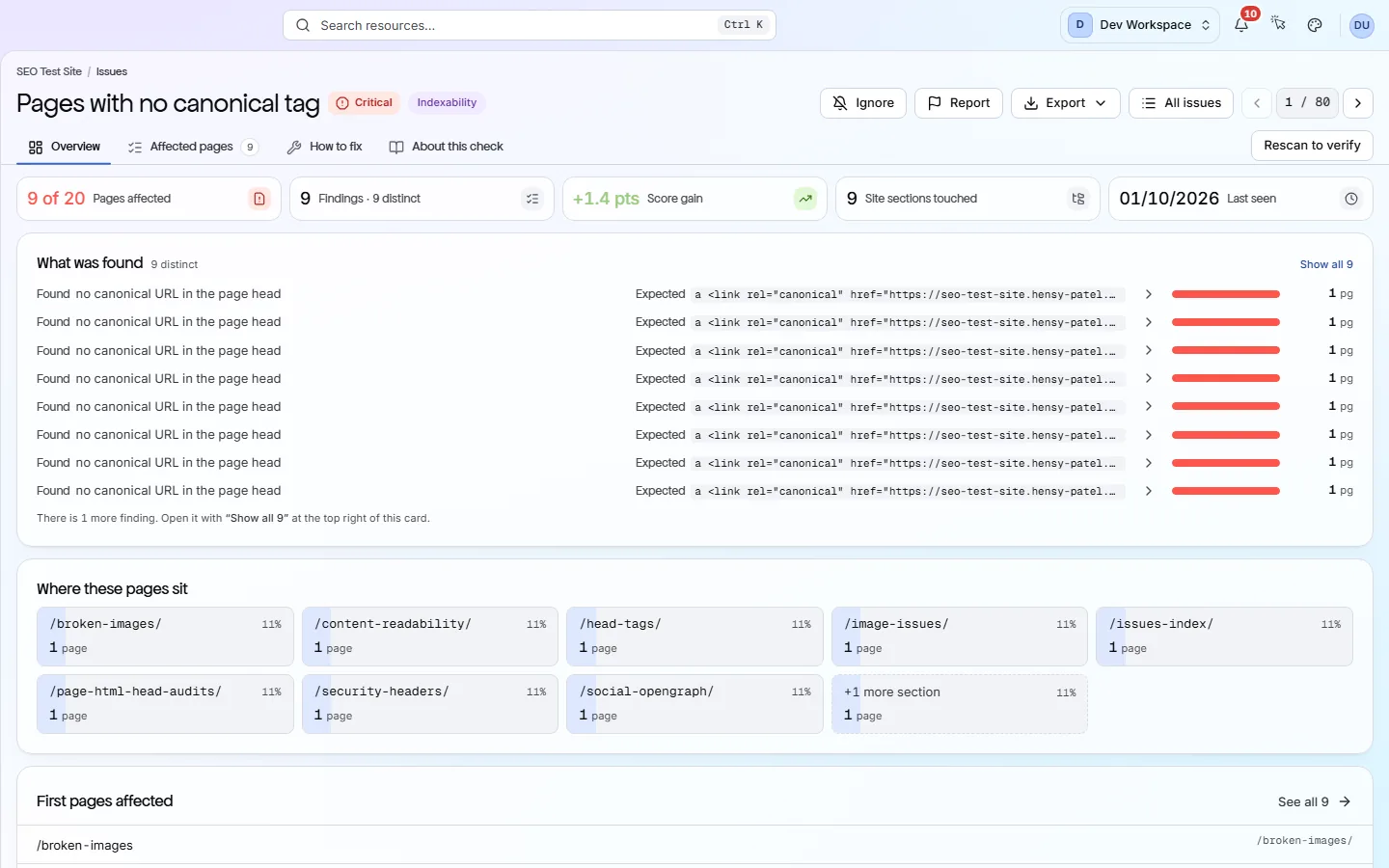
Each card is a real screen in the app: what you see there and what you do with it.
- 01
Problems an agent can read
MCP (Model Context Protocol) is the standard way AI tools talk to other services. PixyScan's MCP server gives your assistant nine tools to list sites, read problems and fetch fix guides.
- 02
Scan, fix, scan again
The CLI runs a scan and exits with code 0 on a pass or 1 on a fail. Your agent can run it after each change to see if its fix worked.
- 03
One key per site
Each site has its own client secret, shown once. Give an agent one site's secret, and it can scan that site and nothing else.
Getting started
Get started in 3 steps
- Step 1
Connect your agent
Add the PixyScan MCP server to your AI tool and approve access in your browser. For scanning, give the agent the CLI and one site's client secret.
- Step 2
Let it read the problems
Through the MCP server, the agent reads the problem list, the affected URLs and each fix guide, then changes your code.
- Step 3
Fix, then scan again
After each change, the agent runs the CLI. The exit code and results show whether the fix worked or something else broke.
Worth knowing
- The MCP server signs in through your browser (OAuth 2.1), so you never paste a password.
- From Hobby up, problem lists export as CSV, XLSX or JSON for agents that work from files.
- The CLI can fail on named checks, not only on the overall score.
What it doesn’t do
- No public REST API yet. Agents use the MCP server, the CLI or exported files.
- The MCP server cannot start a scan. Use the CLI for that.
- PixyScan does not write fixes or change your site. Your agent writes the change.
Start with Basic
Basic ($39 a month) is the first tier with the MCP server and the CLI, and covers 5 sites and 10,000 pages per scan. Pro ($129 a month) adds JavaScript rendering, 25 sites and 5 scans at once, which helps when several agents work in parallel.
FAQ
Questions you might have
Is there an API the agent can call?
Not a public REST API yet. Agents use the MCP server (Basic and above), the CLI or exported files.
Can the agent start a scan through MCP?
No. The MCP server reads results and can add a site, but it cannot run a scan. Use the CLI for that.
Which AI tools work with it?
AI clients that support MCP, such as Claude, can connect to the MCP server. The CLI runs anywhere npx runs.
Will PixyScan write the fix?
No. PixyScan names the problem, lists the URLs and explains the fix, but never changes your site. Your agent writes the change.
Screens and features to explore
See what is wrong with your site
Add your site and get your score, your to-do list and a fix guide for every problem. Free for one site and 500 pages a month. No card, no time limit.
No card needed · Nothing to install · Cancel any time