

A site audit that stays up to date
PixyScan runs 202 checks on every page and scores your site out of 100. Scheduled scans rerun the audit for you, so it never goes stale.
Does this sound familiar?
If this sounds like your week, read on. Below is how PixyScan helps.
- Your last audit was a long PDF nobody opened twice, and it is already out of date.
- Findings come as charts and percentages, without the URLs behind them.
- You have hundreds of findings and no idea which to fix first.
How PixyScan helps
How PixyScan helps
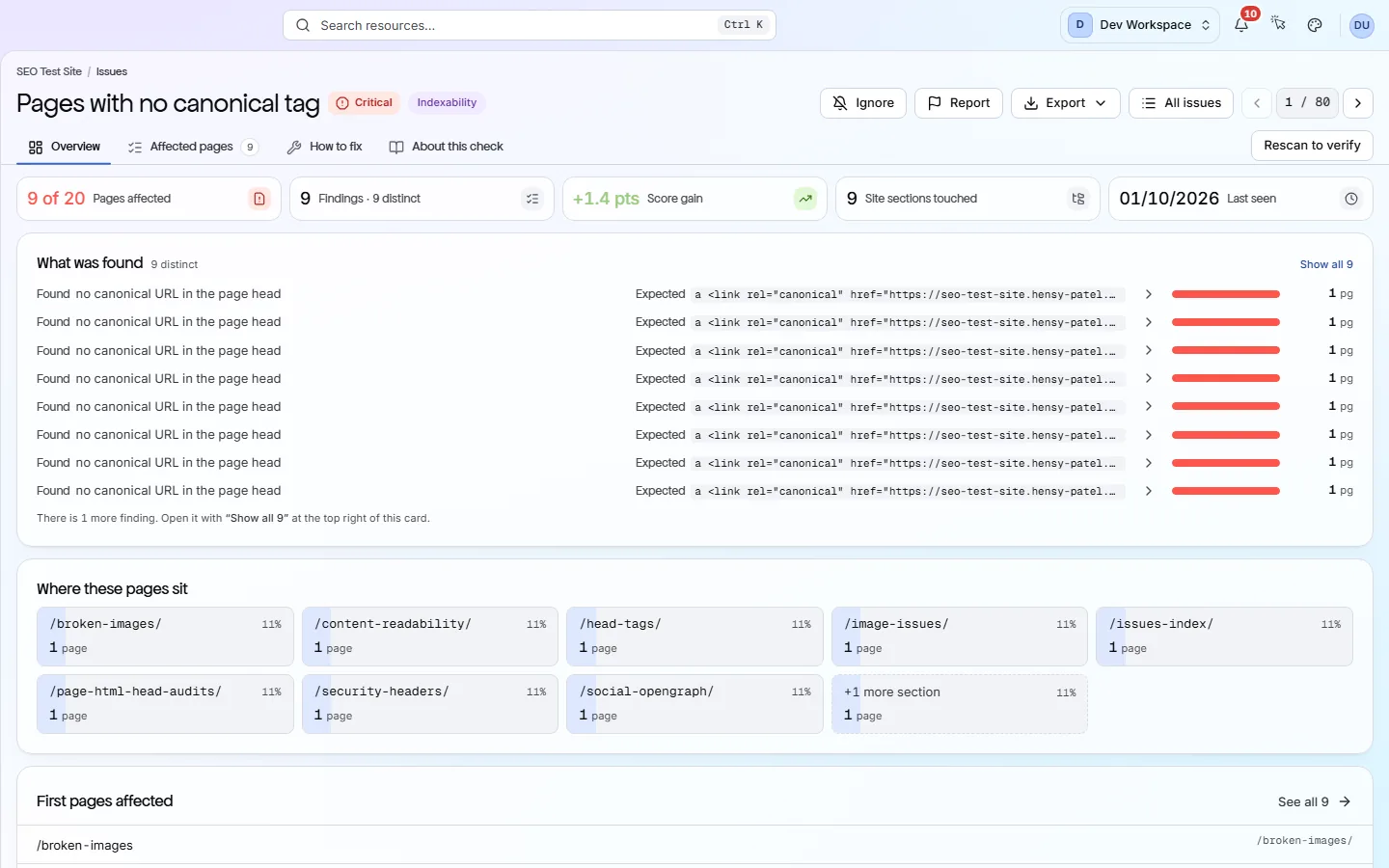
Each card is a real screen in the app: what you see there and what you do with it.
- 01
202 checks in 10 areas
The checks cover tags, structured data, links, security, crawling, sharing, content, indexing, images and languages. 126 are problems that cost points; 24 are free advice.
- 02
A clear health score
Your score out of 100 loses points for each failing check, based on how serious it is and how many pages it affects. The biggest wins are listed first.
- 03
Exact pages for every problem
Open any problem to see every page it affects and a fix guide right beside it. Every guide is written by people.
Getting started
Get started in 3 steps
- Step 1
Run your first scan
Add your site and let the scan finish. You get a score out of 100 and every problem, with the pages it affects.
- Step 2
Fix from the top
The Issues screen lists the biggest score wins first. Open each one for its pages and fix guide.
- Step 3
Keep it current
From Hobby up, set a schedule. The Changes screen then shows what is new and what you fixed since last time.
Worth knowing
- Download the audit as a PDF on every tier. On Free it lists problems without fix steps.
- From Hobby up, Core Web Vitals and page-speed audits come from Google PageSpeed Insights, with your own Google API key.
- Free runs 181 of the 202 checks on one site. Broken and redirecting outside links, broken images and the 18 page-speed checks start on Hobby.
What it doesn’t do
- It checks your own pages only. No backlink data, keyword research or rank tracking.
- It does not fix anything. Nothing it does changes your site.
Start with Free, then Hobby
Start on Free for a full audit of one site: up to 500 pages, 181 checks and a PDF report, no card needed. Move to Hobby ($19 a month) to keep it current, with scheduled scans, scan comparison, exports, Core Web Vitals and 5,000 pages per scan.
FAQ
Questions you might have
Can I get an audit for free?
Yes, with no card. Free scans one site, up to 500 pages, with 181 of the 202 checks. The PDF report lists problems without the fix steps.
Do I need to install anything on my site?
No. PixyScan reads your site from the outside. There is no script, plugin or code to add, and it never changes your site.
What does a scan cost?
Each page scanned uses one URL credit. Free includes 500 a month, Hobby 5,000, Basic 20,000 and Pro 125,000. PixyScan warns you before a scan if you are short.
Does it check page speed?
Yes, from Hobby up, with your own Google API key. It tests a sample of pages with Google PageSpeed Insights, and slow results become problems in your audit.
Does it check backlinks?
No. PixyScan has no backlink data. It audits the pages on your own site.
Screens and features to explore
See what is wrong with your site
Add your site and get your score, your to-do list and a fix guide for every problem. Free for one site and 500 pages a month. No card, no time limit.
No card needed · Nothing to install · Cancel any time