

Every problem, in the order to fix it
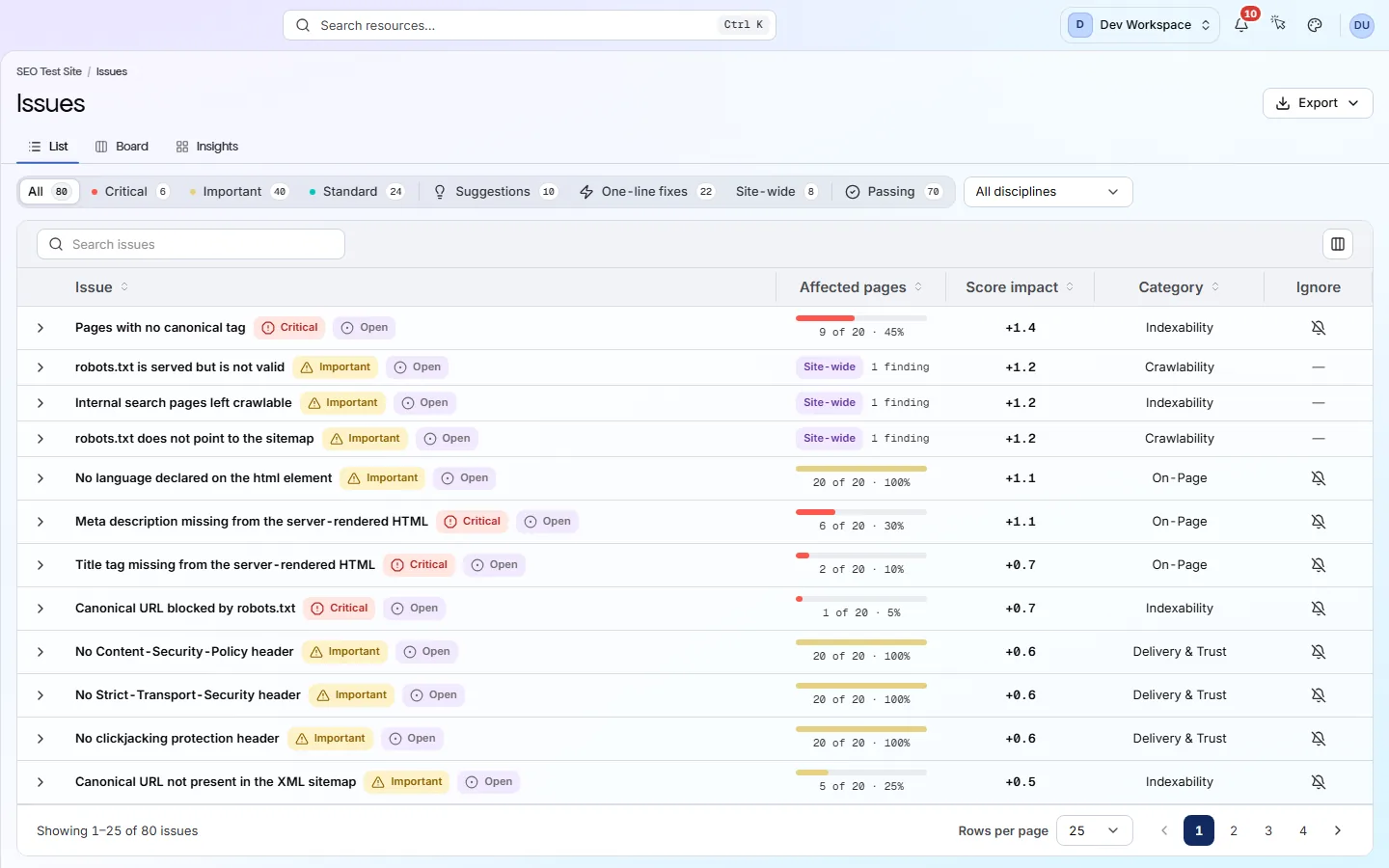
The Issues screen lists every check your site fails. The fix worth the most points is at the top. Open any row to see the pages affected and a guide to fixing it.
What it tells you
Questions this screen answers
What people want to know when they open this screen, and where to find the answer.
- 01
What should I fix first?
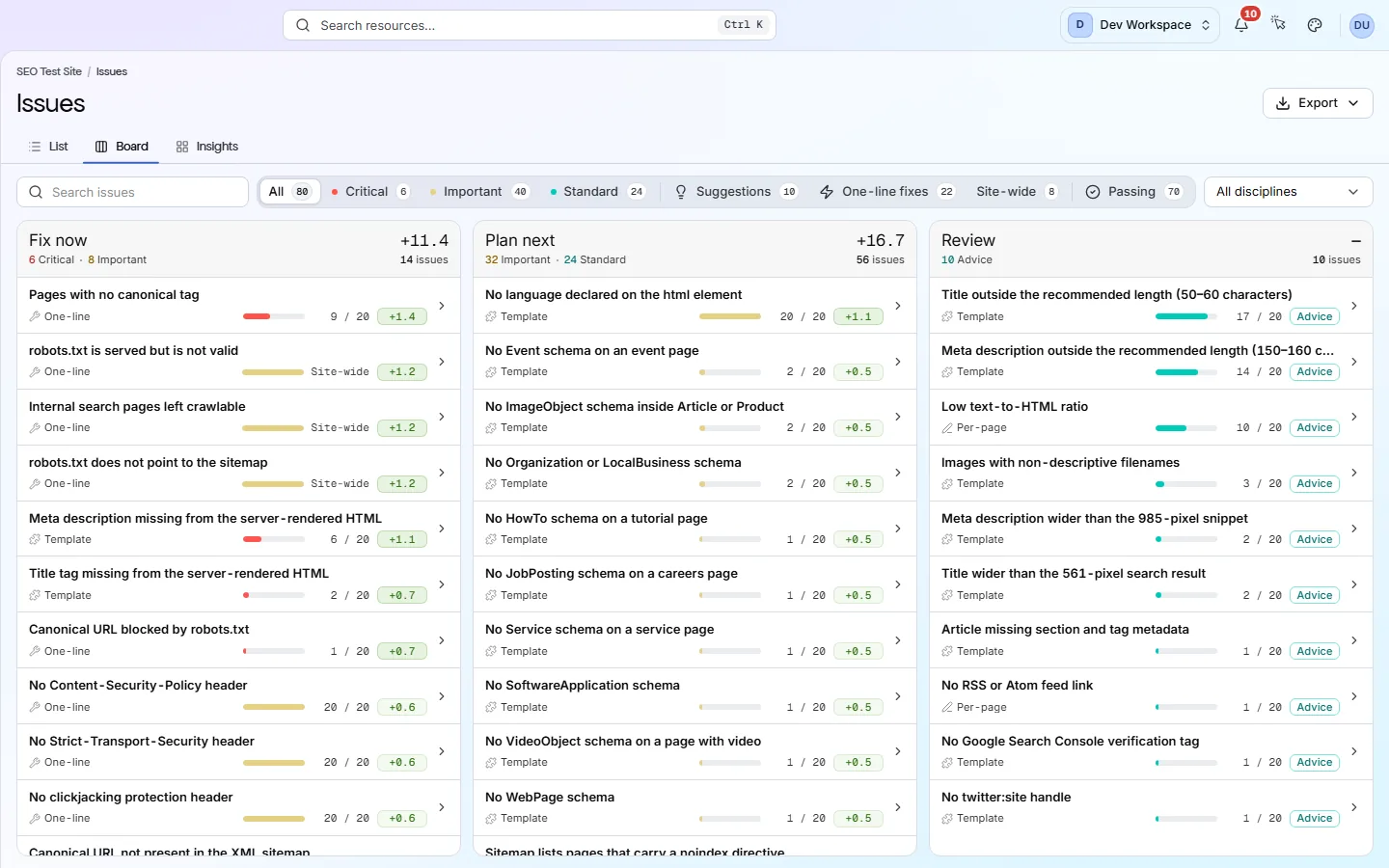
Start at the top. Rows are ranked by how many points each fix wins back. On the Board view, the Fix now lane holds every critical issue plus quick one-line fixes worth half a point or more.
- 02
Is this one page, or the whole site?
Each row shows how many pages have the problem, such as “493 / 514”. When that is close to the total, one shared template is usually the cause, so one change fixes every page. “Site-wide” means the problem is in one site file or setting, such as robots.txt.
- 03
What do New, Regressed and Open mean?
New means the last scan did not find this problem. Regressed means it was there last time and now affects more pages. Open means it was there last time and has not spread. Fixed checks move to the Passing filter as Resolved.
- 04
How do I fix it?
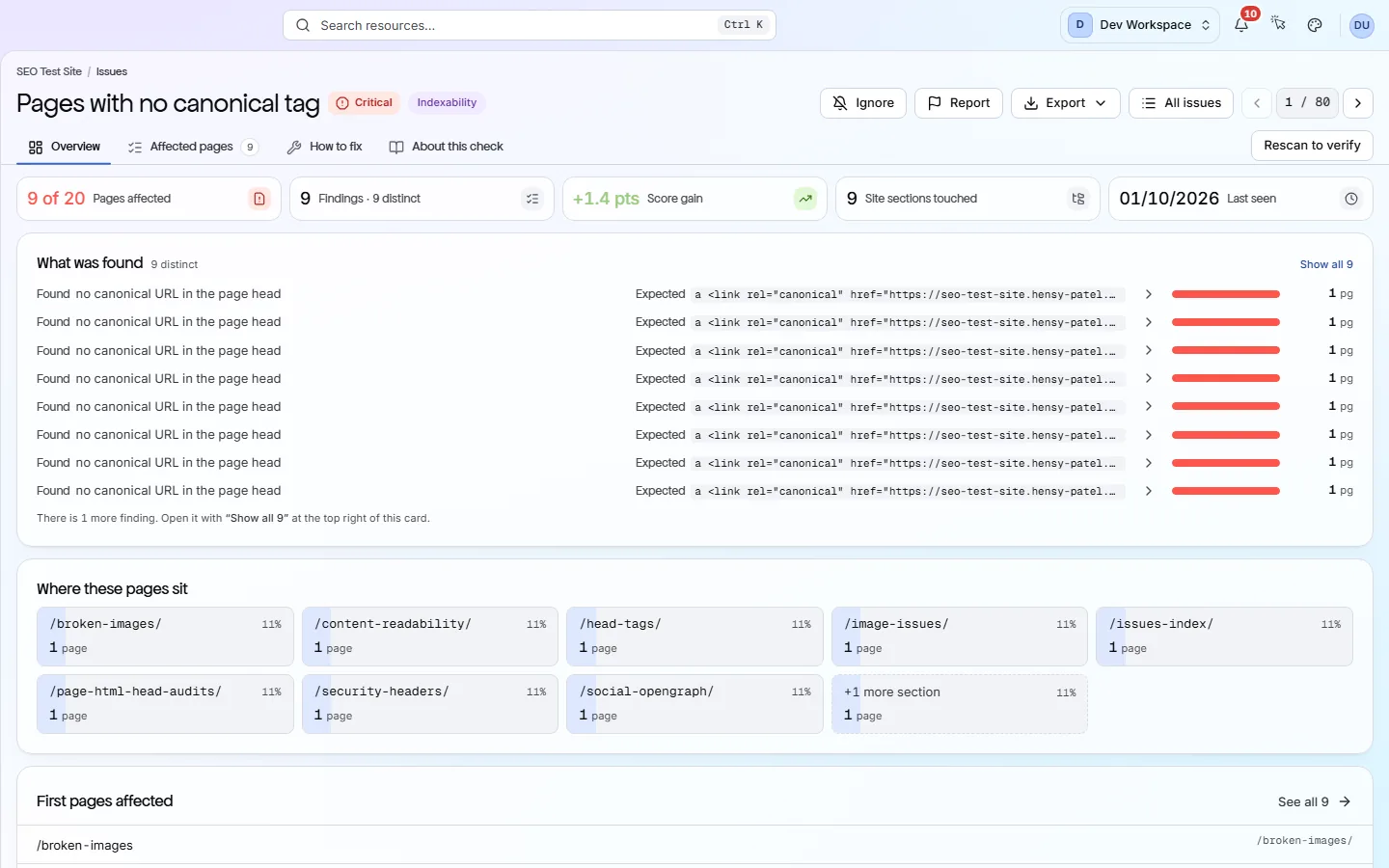
Open the issue and read the How to fix tab. It explains the problem in plain words and shows the steps. Make the change on your site, then press Rescan to verify to check it worked.
Good to know
The main facts about this screen, and the check categories it shows.
Check categories shown here
On-Page
These checks look at each page's title, meta description, headings and URL. They flag any that are missing, empty, duplicated on other pages, too long or too short, including pages with more than one H1, because these are the first things search engines read and show.
Structured Data
Structured data is code on a page that tells search engines exactly what the page is, such as a product, an article or an FAQ. These checks validate it for 31 schema.org types, because markup with errors cannot earn rich results.
Delivery & Trust
These checks cover HTTPS, SSL certificates (including ones about to expire), outdated TLS versions, security headers, mixed content, compression, render-blocking scripts and page size. On Hobby and above, once you add your own Google API key, they also flag poor Core Web Vitals (Google's measures of loading speed and visual stability) and Lighthouse findings such as unused code, oversized images and short cache times.
Crawlability
Your robots.txt file and your sitemaps tell search engines which pages to visit. These checks read both, and they flag sitemaps that list broken, blocked or duplicate pages, CSS and JavaScript files that robots.txt blocks, and pages that failed to load during the scan.
Key facts
Before you open this screen
- The list is ranked by points won back, so the top row is the best place to start.
- Filter by severity (Critical, Important or Standard), by category, or to one-line fixes and site-wide problems.
- Each row is marked New, Regressed or Open, compared with the last scan.
- Every issue has a How to fix guide, written by people, not generated by AI.
What's on the screen
The screen, part by part
Each part of the screen, from top to bottom.
- 01
Views
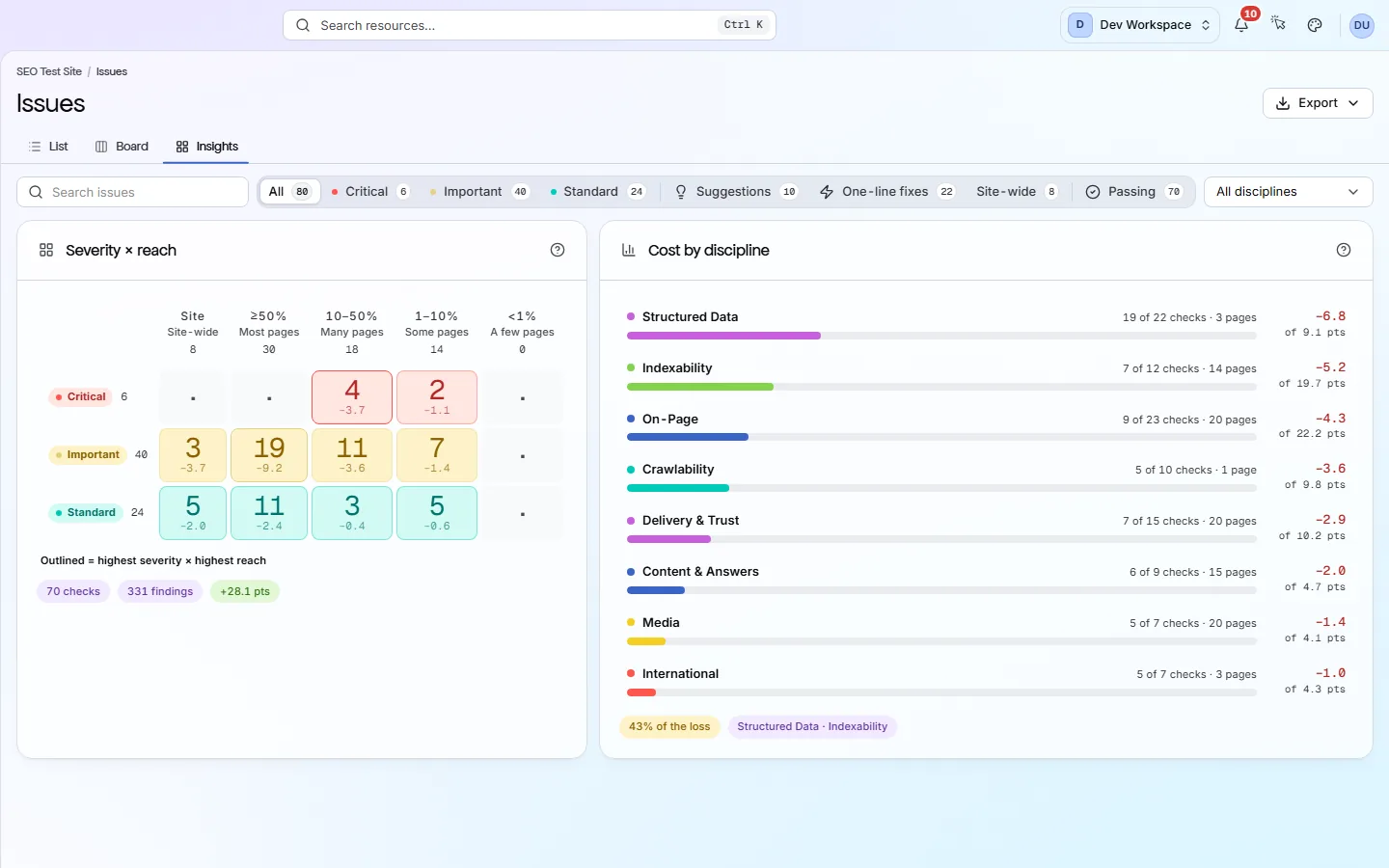
List, Board and Insights show the same issues three ways: a ranked table, three lanes of work, and charts. The Export menu downloads the issues report.
- 02
Search and filters
Search by issue name, or pick one of the 10 check categories, such as On-Page or Crawlability. Pills filter by Critical, Important, Standard, Suggestions, One-line fixes, Site-wide, Ignored and Passing.
- 03
The list
One row per failing check. Each row shows severity, pages affected, points won back by fixing it, category and its New, Regressed or Open badge. Suggestions are advice only, so they cost no points.
- 04
One issue
An issue opens with four tabs: Overview, Affected pages, How to fix and About this check. With Search Console connected, Affected pages adds each page's Google clicks and impressions. Rescan to verify starts a new scan so you can confirm the fix worked.
Your first visit, step by step
A simple order to follow after your first scan.
- 1
Click the Critical pill to see the most serious problems first.
- 2
Look at the top row. If it says “Site-wide” or hits nearly every page, one change usually fixes it.
- 3
Click the row to preview what was found and where.
- 4
Open the issue, read How to fix and make the change on your site.
- 5
Press Rescan to verify and check the issue has moved to Passing.
More views
Other tabs on this screen
The other tabs and views on this screen.
FAQ
Common questions about this screen
Is this screen included on Free?
Yes. Free runs 181 of the 202 checks. The other 21 start on Hobby: three check outside links and images (broken outside links, broken images and outside links that redirect), and 18 measure page speed through Google PageSpeed, from Core Web Vitals (LCP, INP, CLS and TTFB) to unused code and oversized images.
Can I hide an issue I don't care about?
Yes. Ignore a check on every page, only on some pages, or on all but some pages. It moves to the bottom with an Ignored badge, but it still costs its full points in your score. Site-wide checks cannot be ignored.
What can I export?
The issues report, as PDF, CSV, XLSX, JSON or Markdown, on every tier. On Free it lists the problems without the fix steps.
Does it fix issues for me?
No. PixyScan never changes your site and does not write content. It finds each problem and explains the fix. You or your developer make the change.
Can I fix the pages with the most search traffic first?
Yes, from Basic, once you connect Google Search Console. An issue's Affected pages tab adds Clicks and Impressions columns: Google Web search over the last 28 days. Click either column to sort by traffic, busiest first. A note above the table says how many of the scan's pages Search Console data matched, such as “matched 812 of 940 pages”. A page with no data shows a dash. Traffic never changes the score or the order of the issues list.
Continue the product tour
Previous and next screens
Screens follow the order of the app’s menu. See the full list to jump to any of them.
See what is wrong with your site
Add your site and get your score, your to-do list and a fix guide for every problem. Free for one site and 500 pages a month. No card, no time limit.
No card needed · Nothing to install · Cancel any time