

Give each person only the sites they need
Put your sites and your team in one workspace, and give each person only the sites they need.
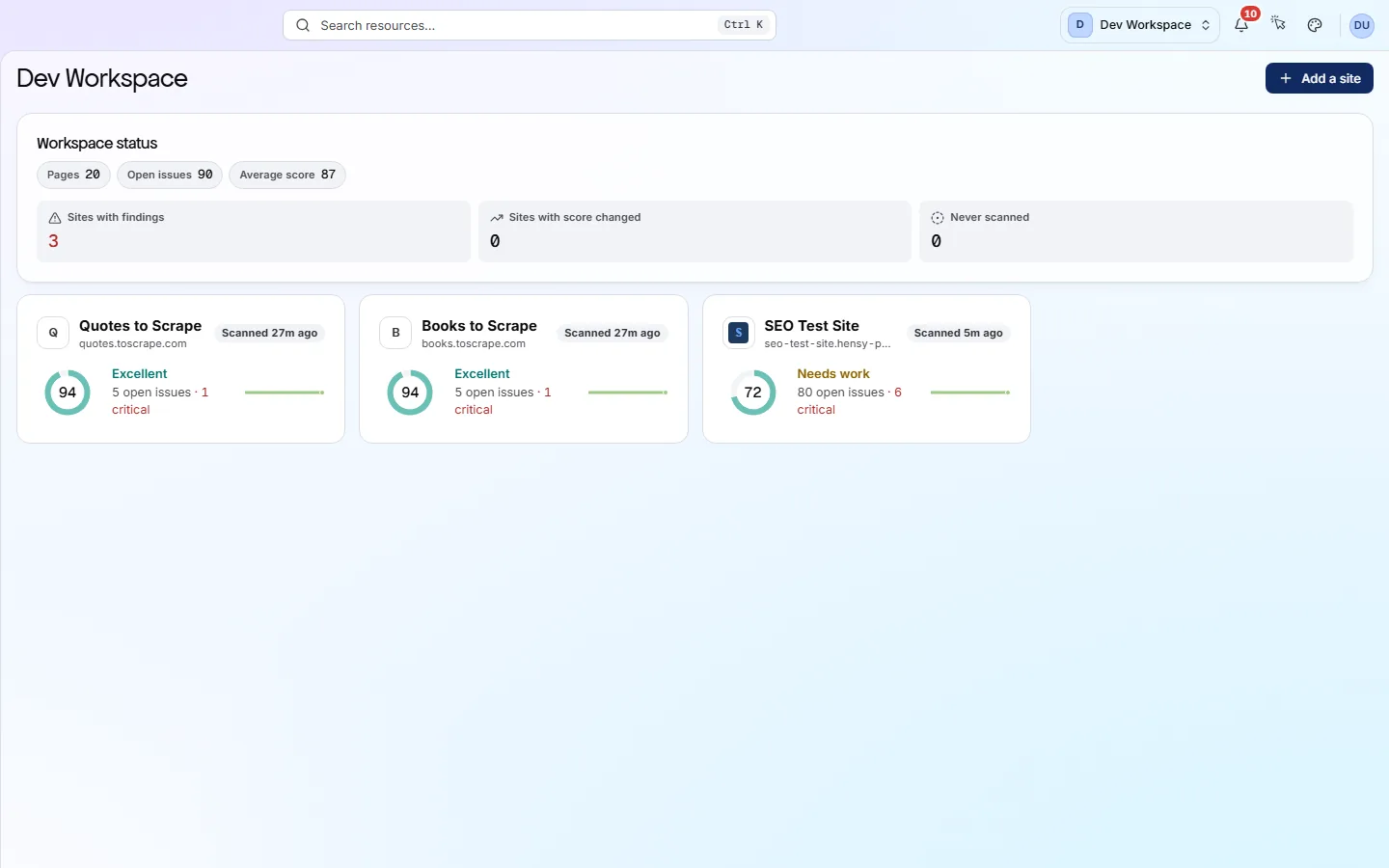
At a glance
What it does and who gets it
- What it does
- Put your sites and your team in one workspace, and give each person only the sites they need.
- Why it helps
- A contractor or client sees their own site and nothing else. Nobody has to share a login.
- Included in
- Every tier. You get more people and sites on each tier up.
What you get
- 01
Workspaces
Each workspace has its own sites, people and subscription, and its sites share its URL credits. One person can join several workspaces, so an agency can keep one per client.
- 02
Roles for the workspace and each site
Admins manage sites, scans and people. Members run scans and read reports. Viewers can only look. Admins see every site; Members and Viewers see only sites they are added to.
- 03
Invite by email
Invite someone by email and pick their role. A pending invitation holds a seat until it is accepted or cancelled.
- 04
Simple sign-in
People sign in with email and password, confirmed by a one-time code at sign-up, or with Continue with Google. Forgotten passwords are reset by email.
How to use it
4 steps, in the order you do them.
- 1
Create a workspace
A workspace holds your sites, your team and your subscription. Its sites share one monthly allowance of URL credits.
- 2
Invite people
On the Members screen, invite someone by email and choose Admin, Member or Viewer. They join when they accept.
- 3
Give access to sites
Workspace Admins see every site. Members and Viewers see only the sites you add them to, on each site's Settings → Members tab.
- 4
Switch workspaces
If you belong to several workspaces, switch between them without signing out. Each keeps its own sites and people.
Which tiers include it
Every tier. You get more people and sites on each tier up.
- People (seats): 1 on Free, 2 on Hobby, 3 on Basic, 10 on Pro, unlimited on Enterprise.
- Sites: 1 on Free, 2 on Hobby, 5 on Basic, 25 on Pro, unlimited on Enterprise.
- A pending invitation holds a seat until it is accepted or cancelled.
- Each account can have one free workspace.
What it doesn’t do
- No single sign-on (SSO), meaning sign-in through your company's own login system.
- No SCIM directory sync. You add and remove people on the Members screen.
- No separate client portal. Invite a client as a Viewer on their own site instead.
Why use it
When it helps
Everyday moments where it saves you time or catches a problem early.
A contractor on one site
Invite them as a Member on that one site. They can run scans and read reports there, and they cannot see your other sites.
Two teams, one company
Marketing looks after the main site and the product team looks after the docs. Each team sees its own site, under one bill.
Someone leaves
Remove them on the workspace Members screen. Their access ends on every site in the workspace.
More screens
Where else it shows up
Other screens in the app that belong to this feature.
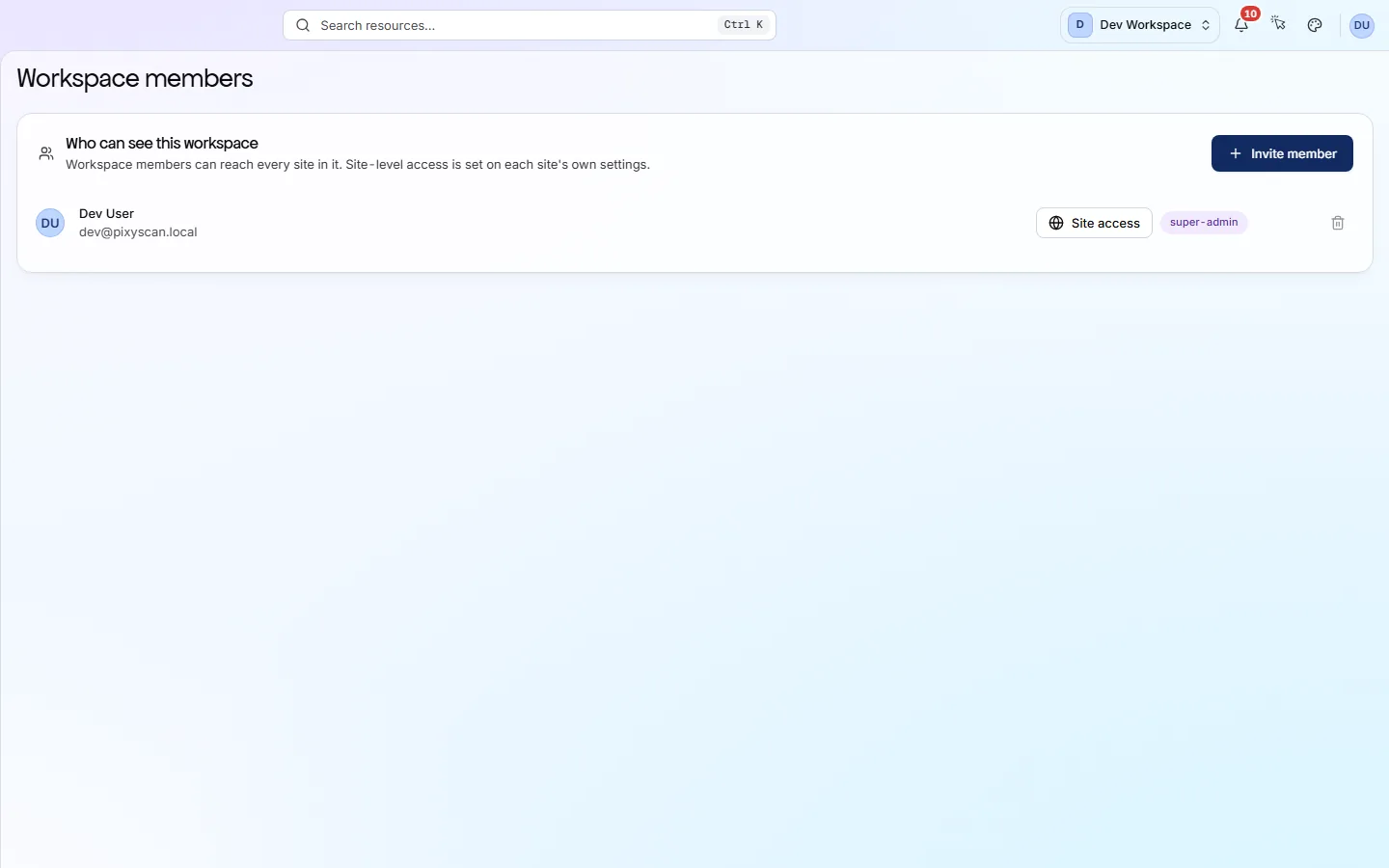
Where to find it in the app
All eleven screensUnderstand
Site overview
The Overview is the first screen you see for a site. It shows your health score, what changed since the last scan and where the problems are. Click any number to see the detail behind it.
Manage
Settings
Each site has its own settings. They decide which pages are scanned, how often, who gets alerts and who can see the site. Changes apply from your next scan.
Questions
Common questions
Short answers about tiers, setup and limits.
How many people and sites do I get?
People: 1 on Free, 2 on Hobby, 3 on Basic and 10 on Pro. Sites: 1, 2, 5 and 25. Enterprise has no limit on either.
What can each role do?
Admins manage sites, scans and people. Members run scans and read reports. Viewers can look but not change anything.
Can a client log in and see only their site?
Yes. Invite them as a Viewer and add them to their site only. They can read it and cannot see any other site.
Is there SSO?
No. People sign in with an email and password, confirmed by a one-time code at sign-up, or with Continue with Google.
Do all sites share the same credits?
Yes. Every site in a workspace draws on the same monthly allowance of URL credits.
Other features
All featuresScheduled monitoring
PixyScan scans your site daily, weekly or monthly on its own, and tells you what changed.
ReadThe site audit
PixyScan checks every page against 202 search, AI and technical checks and gives your site a health score out of 100.
ReadPages, links and images
Browse every page, link and image the scan found, and open any page for its full report.
ReadSee what is wrong with your site
Add your site and get your score, your to-do list and a fix guide for every problem. Free for one site and 500 pages a month. No card, no time limit.
No card needed · Nothing to install · Cancel any time