

User guide3 min
Create a workspace
A workspace is a folder for your sites, the people who can see them and the subscription that pays for them. Signing up already made one for you, so most people can skip this page.
You already have one#
Sign-up creates your first workspace, names it after you and makes you its owner.
The first time you sign in, you are inside a workspace called Your Name's Workspace. The name comes from the name you gave at sign-up. If you used Google, it comes from the part of your email before the @.
You are its Super Admin. That means you control its settings, its members and its subscription.
Want a different name? Open the workspace, choose General under Settings in the sidebar, change the Name field and press Save name.
Joined from an invitation?
What a workspace holds#
Your sites, the people who can see them and the subscription that pays for them.
| Field | Scope | What it does |
|---|---|---|
| Sites | Per workspace | Each site belongs to one workspace. A site added to the wrong one must be added again in the right one. |
| Members | Per workspace | You invite people and give each a role. Admins see every site. Members and Viewers see only the sites you add them to. |
| Subscription | Per workspace | Your tier, monthly URL credits and limits belong to the workspace, not to your account. Each workspace has its own bill. |
| Alerts and reports | Per workspace | Workspace alerts and report branding cover only the sites in that workspace. |
Do I need a second workspace?
Create another workspace#
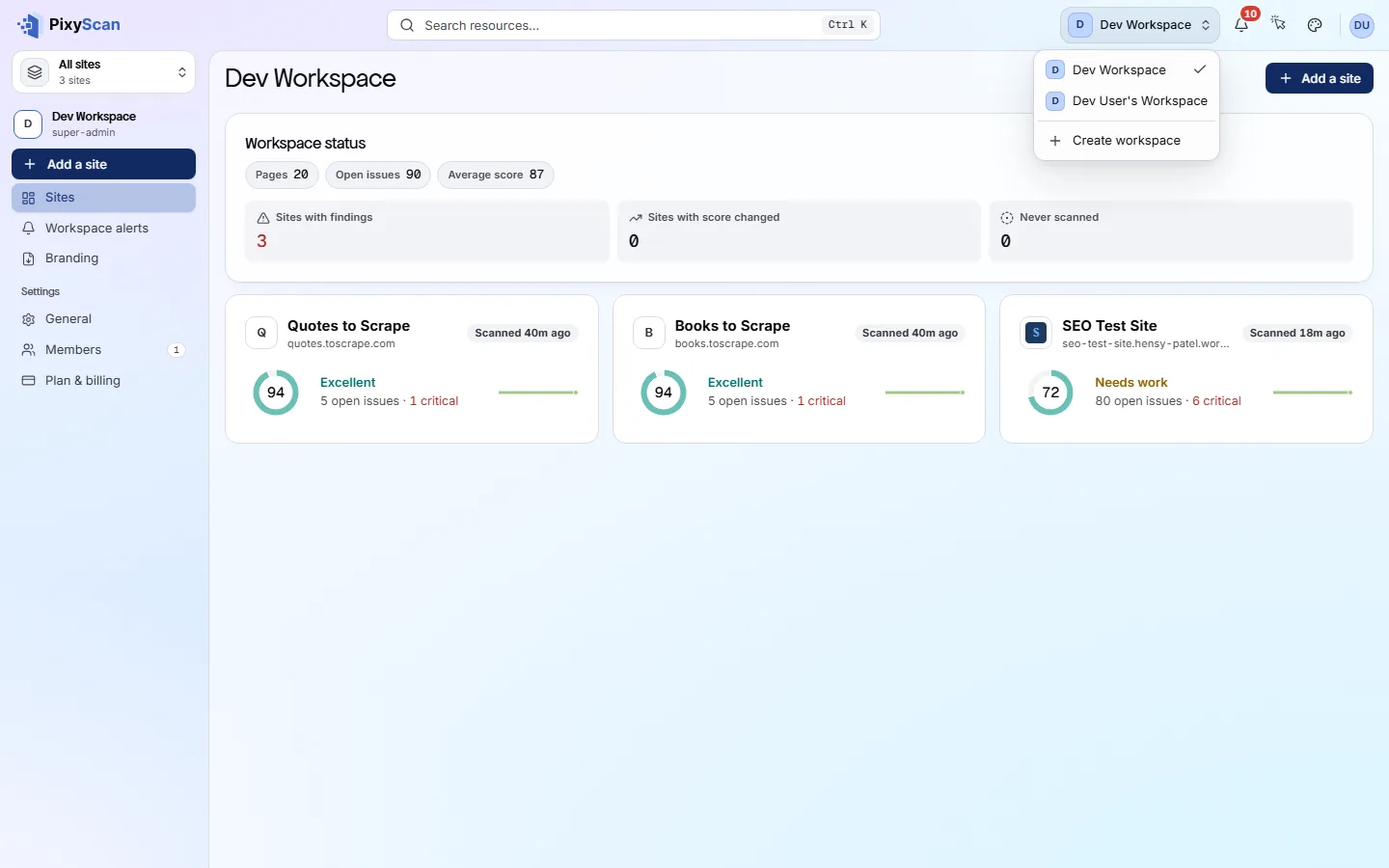
Use the workspace switcher at the top right of every screen.
- 1
Open the workspace switcher
It is at the top right of the header and shows the workspace you are in. Click it to list every workspace you belong to.
- 2
Choose Create workspace
It is at the bottom of the list.
- 3
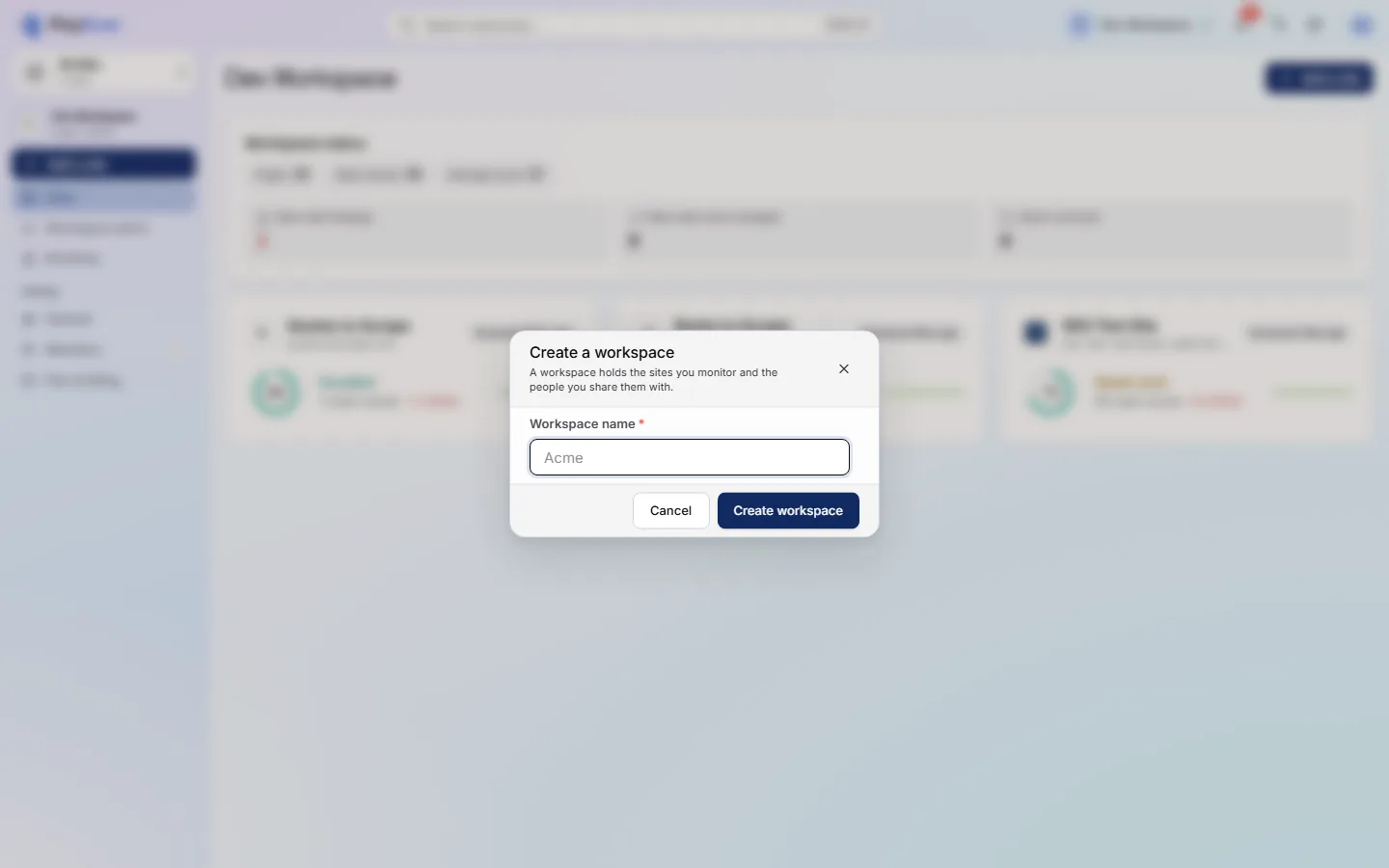
Type a name and press Create workspace
Use 3 to 50 characters: letters, numbers, spaces, hyphens, underscores and apostrophes. It must differ from your other workspace names.
The new workspace opens with no sites and you as its only member.
app.pixyscan.com/w/…
app.pixyscan.com/w/…
Why can't I create another one?#
Each account can have one free workspace. Any more need a paid subscription.
If you already have a free workspace, the dialog tells you so. Instead of the name field, you see an upgrade button. Once your existing workspace is on a paid tier, you can create another.
| Field | On Free | What it does |
|---|---|---|
| Workspaces | 1 | Each account can have one free workspace. |
| Sites | 1 | Paid tiers allow 2 sites on Hobby, 5 on Basic and 25 on Pro. |
| Seats | 1 | A seat is one person in the workspace. On Free you cannot invite anyone else. |
| URL credits | 500 / month | Each URL a scan crawls uses one credit, on any site. Your credits reset each month. |
| History | 30 days | Older scans are deleted, so they drop out of history and comparisons. |
Does something here not match what you see in the app? Tell us