

User guide3 min
Trust
The Trust screen shows your SSL certificate, the security headers each page sends, and any files still loading over plain HTTP. Most fixes are made on your server or CDN (content delivery network), so share this screen with whoever runs them.
How to get there#
Trust is the last item in the Explore group of the site sidebar.
- 1
Open Trust in the sidebar
Open the site, then choose Trust at the bottom of Explore.
- 2
Start on Overview
Overview has two cards. The certificate is on the left. Header coverage, on the right, counts pages missing each security header.
- 3
Open Table to see page by page
Use a filter such as No HSTS or Certificate expiring to list the pages affected. Expand a row to see the headers exactly as the page sent them.
app.pixyscan.com/w/…/s/…/trust
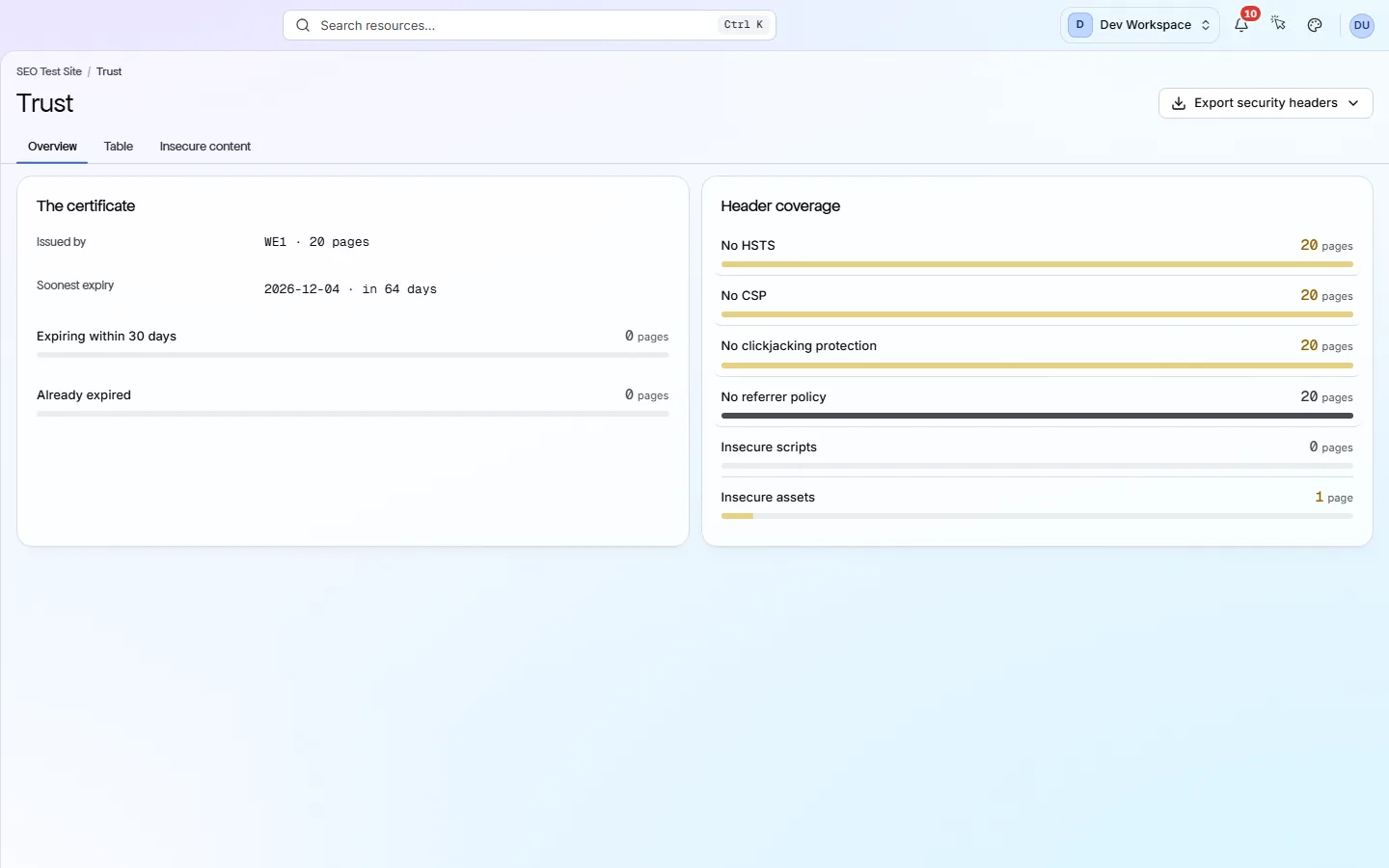
The three tabs#
A summary, a row per page, and a row per insecure file.
| Field | Shows | What it does |
|---|---|---|
| Overview | Two cards | The certificate card and the Header coverage card. |
| Table | One row per page | Whether each page sent HSTS and CSP, how it is protected against clickjacking, its Referrer-Policy, and any mixed content. |
| Insecure content | One row per file | Scripts and other files loaded over http:// on an https:// page, with the page that loads them. Fix these first, because browsers block insecure scripts. |
The certificate card#
Your SSL certificate gives your site the padlock in the browser.
| Field | Shows | What it does |
|---|---|---|
| Issued by | Issuer · pages | Who issued the certificate. If pages use certificates from more than one issuer, a badge warns you. |
| Soonest expiry | Date · in N days | The earliest date any certificate on your site stops being valid. |
| Expiring within 30 days | Pages | Pages whose certificate is still valid but runs out in the next 30 days. |
| Already expired | Pages | Pages whose certificate has run out. Browsers warn visitors away from these. |
What Header coverage checks#
Security headers are instructions your server sends to the browser with every page.
| Field | If missing | What it does |
|---|---|---|
| No HSTS | HTTP allowed | HSTS (HTTP Strict Transport Security) tells browsers to always use HTTPS for your site. It is usually one setting on your server or CDN. |
| No CSP | Less protection | A Content Security Policy limits which scripts can run on your pages. Test it carefully, because a wrong policy can break the site. |
| No clickjacking protection | Can be framed | Without X-Frame-Options or a CSP frame-ancestors rule, other sites can show your pages inside their own. |
| No referrer policy | Full URL shared | A Referrer-Policy controls how much of your URL is passed on when visitors click a link to another site. |
| Insecure scripts · Insecure assets | Broken padlock | These are not headers. They count HTTPS pages that load a script or other file over plain HTTP. This is called mixed content. |
Watch the certificate expiry
Export security headers downloads the headers page by page. Export insecure content downloads the files from that tab. Exports are included from Hobby up.
Does something here not match what you see in the app? Tell us